Dashboard#
After logging in, you’ll land on the dashboard. The top navigation menu gives you access to the main sections of the platform:
- Dashboard — RACE Workbench landing page
- Data — Storage, datasets, licences, and SSH key management
- Workspaces — Create, start, stop, and connect to your machines
- Documentation
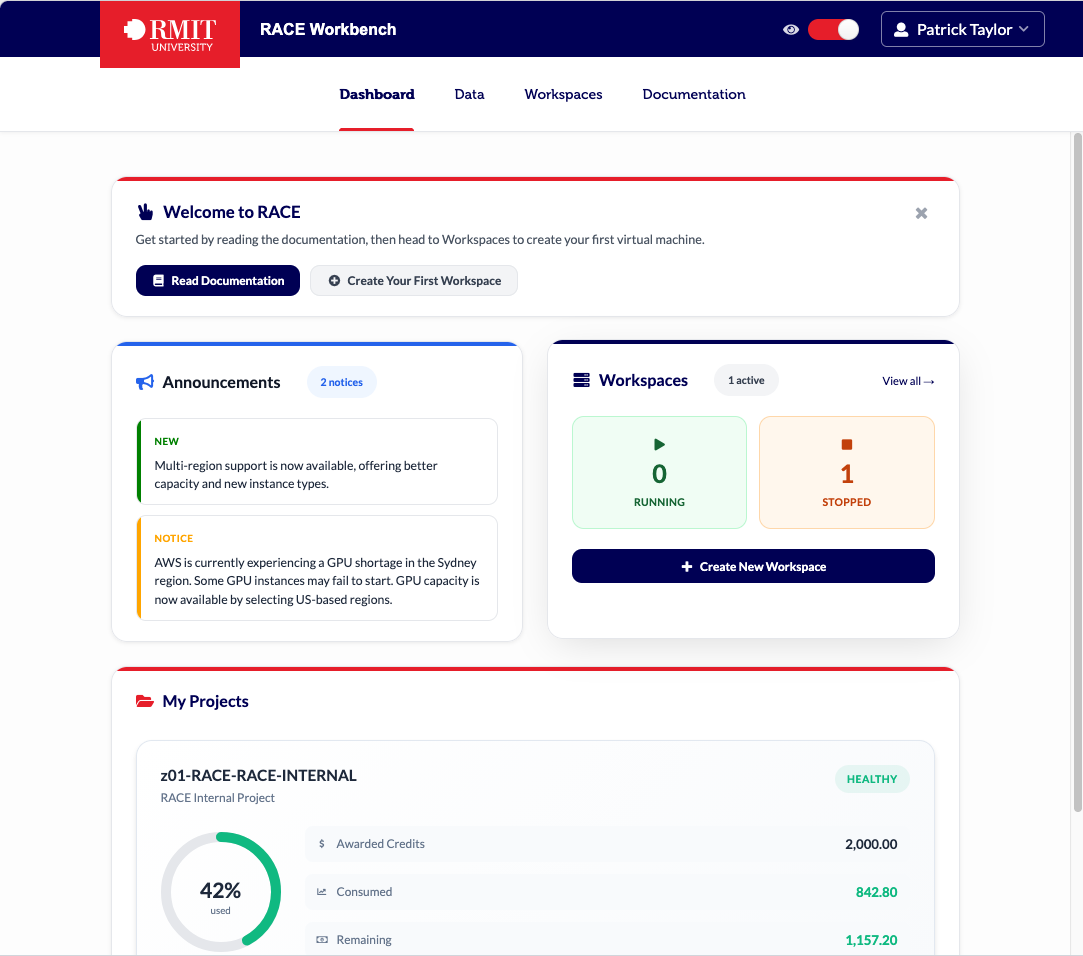
This is your central hub for managing workspaces, monitoring costs, and accessing platform features.
The dashboard has 3 main sections, Announcements, Workspaces and My Projects.
Announcements#
Important platform updates and notifications.
- Scheduled maintenance windows
- New features and capabilities
- Known issues and workarounds
Workspaces#
Quick overview of your active workspaces and their current status.
My Projects#
Shows the details of the projects that you are part of including awarded credits, project ID, members and usage.
- If you are part of multiple projects, there will be multiple cards
- Whenever you provision anything you will have the option to select which project you would like to use.
